Active disclosure: publishing Woo documents on your own initiative
The Dutch Open Government Act (Woo) asks public bodies to disclose information not only on request, but also on their own initiative. Before a document goes online, personal data and other information that may not be disclosed has to come out. Verilak redacts and anonymises those documents on the workstation and delivers a clean PDF/A.
What has to be disclosed actively?
Article 3.3 of the Woo lists categories of information that an administrative body in any case discloses on its own initiative. Part of that already applies, such as laws and regulations, decisions of general application and information about the organisation and how to reach it. For other categories, such as meeting documents, advice, covenants, decisions on Woo requests and research reports, the obligation comes into force in phases.
The more categories apply, the more documents an organisation regularly has to prepare for publication. It is exactly in that kind of routine work that redaction mistakes creep in.
Active disclosure too: redact first
The law is clear: the refusal grounds of articles 5.1 and 5.2 also apply to active disclosure. Names, addresses and phone numbers of citizens, the citizen service number, special categories of personal data and personal policy views in documents for internal deliberation come out, just as with a Woo request. Which ground applies to what is explained on Woo refusal grounds.
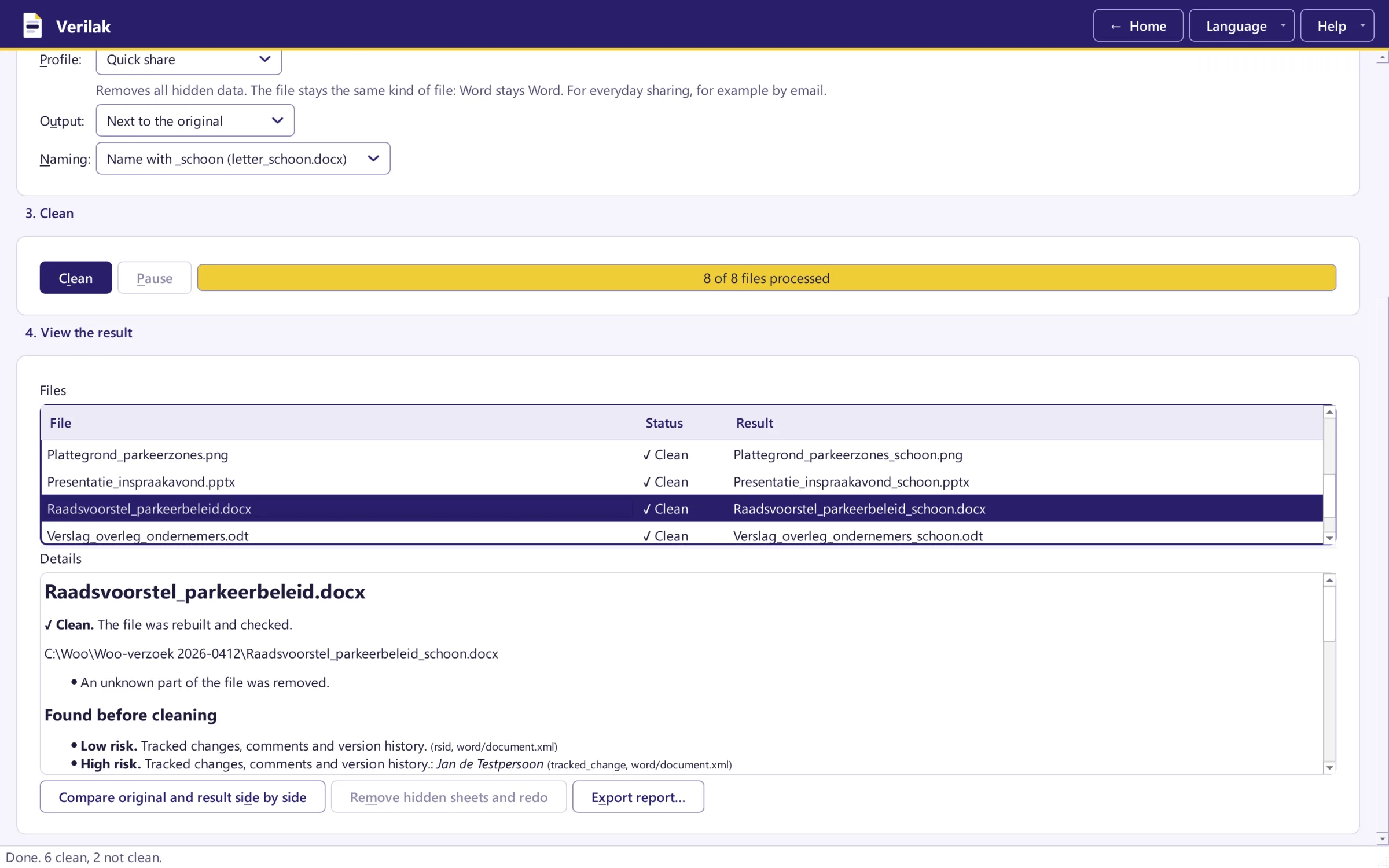
Do not forget the hidden data either. A council proposal can still hold the author's name in its properties, a presentation hidden slides and a spreadsheet a hidden worksheet.
How to prepare documents for publication
Redact
Verilak proposes what to redact, you decide on each proposal and choose the ground. The text under the box is truly removed.
Clean
Author, comments, tracked changes, hidden slides and other metadata come out, and on request hidden worksheets too.
Convert
The FOI publication (Woo) profile makes a PDF/A with numbered file names. The Publication profile makes an accessible PDF for a website.
Check
A separate check makes sure nothing is left behind. Only then does the file go to your website or publication platform.
Durable, accessible and searchable
- PDF/A keeps the document readable in the long term, as the Archives Act requires. Verilak checks every PDF/A with the veraPDF validator.
- Accessible. Government documents on a website must be accessible. Verilak can make an accessible PDF/UA that screen readers can read aloud.
- Searchable. After redaction, text recognition (OCR) makes the remaining text searchable again.
- Accountable. Every decision goes into an audit log that cannot be changed unnoticed.
More about converting on PDF and PDF/A.
Active disclosure without redaction mistakes
Try Verilak free for six weeks in your own working environment, with the documents you have to publish anyway.