Redact personal data: citizen service numbers, IBANs, names and signatures
Before you share or publish a document, personal data the recipient may not see has to come out. Verilak finds it for you, you decide what is redacted and the data is truly removed from the file. On your own workstation, without uploading.
Which personal data do you have to redact?
Personal data is any data that identifies someone, directly or indirectly. What you have to redact depends on who receives the document. For a public Woo decision almost all data of citizens and staff comes out. For a subject access request under the General Data Protection Regulation (GDPR) you redact the data of people other than the requester.
Some data is extra sensitive. The Dutch citizen service number (BSN) may only be used where a law allows it. Special categories of personal data, such as health, religion or a criminal record, are given extra protection by the GDPR. In a shared or published document that data should almost never be readable.
How Verilak finds it
Citizen service number
Verilak recognises a BSN by the eleven test. A random string of nine digits is therefore not proposed. For a Woo decision you link it to the legal ground for identification numbers.
Bank account (IBAN)
Verilak recognises account numbers by the IBAN check digits. Credit card numbers are found too, with the Luhn check.
Names and addresses
Verilak recognises names by salutation, initials, greeting and signature line. Addresses, postcodes, email addresses, phone numbers, dates of birth and IP addresses are found by their fixed format.
Signatures
You redact a signature with a box you draw yourself, with the mouse or the keyboard. If the same box is needed on more pages, Verilak places it on all of them in one go.
Faces in photos
Verilak detects faces in images and proposes them as redactions. It does not identify who someone is, only where a face is.
Special categories
Data about health, religion, ethnic origin and criminal matters (GDPR articles 9 and 10), and your own word lists, for example with names of staff.
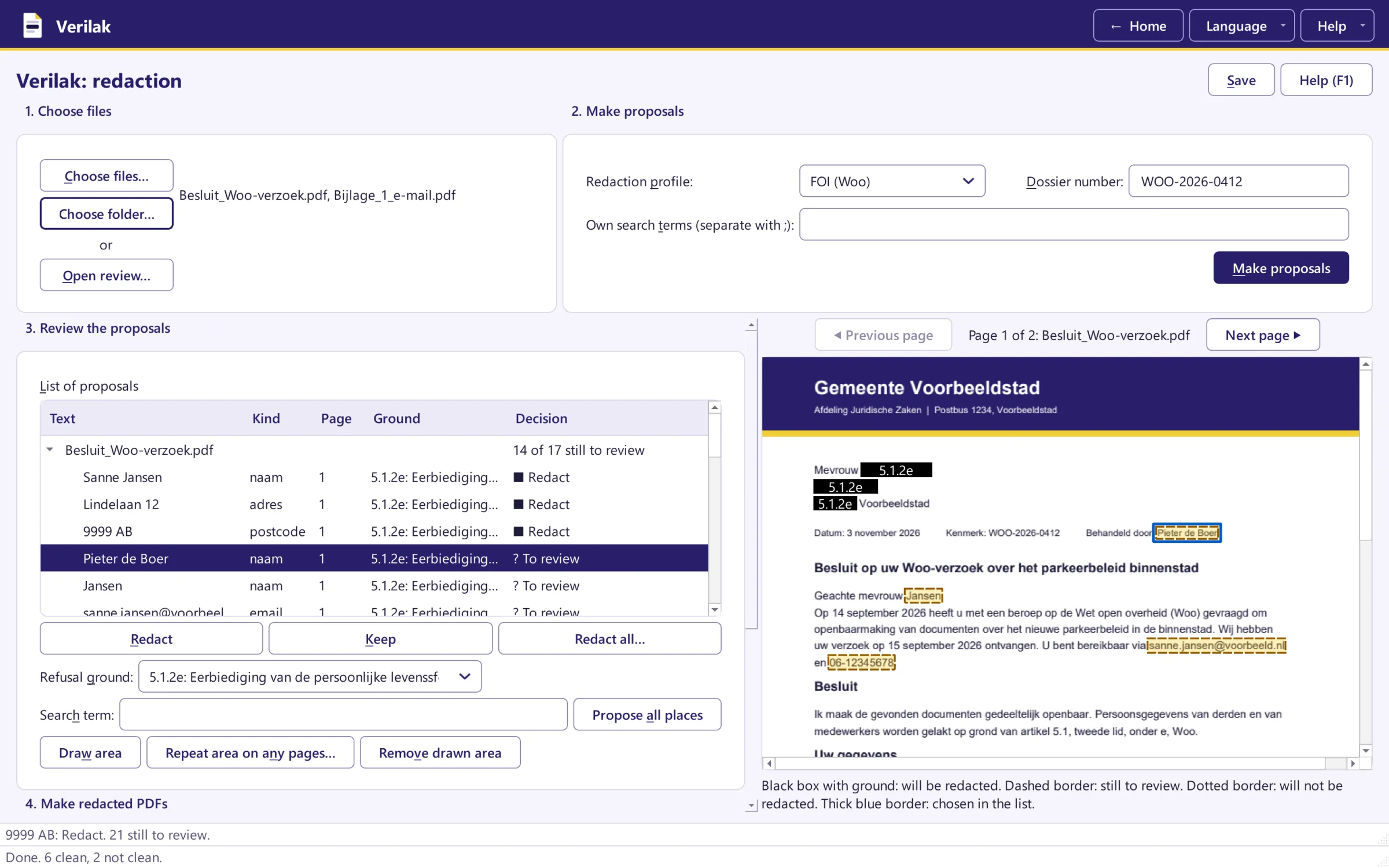
Making a number unreadable is not enough
Making a number unreadable with a black bar or a highlighter feels safe, but the digits can still be in the file. Verilak turns a redacted page into an image, so there is nothing left under the box. A separate check then searches the whole file for any remaining trace of the redacted data.
The hidden data goes too: the author's name, comments, tracked changes and the GPS location of photos. That way you remove privacy sensitive data from a PDF, Word document or photo in one go.
Verilak never decides on its own. Whether someone can still be recognised after redaction also depends on the context, such as a job title or a described event. That is why a person always reviews every proposal.
Personal data and the Woo
For a decision under the Dutch Open Government Act (Woo) you put on every redaction the ground on which the data is not disclosed. For most personal data that is respect for privacy (article 5.1, second paragraph, under e). Identification numbers such as the BSN and special categories of personal data have their own ground in the first paragraph. Verilak prints the ground on the box and includes it in the Woo inventory list.
All grounds in one place: Woo refusal grounds. About the process: Redaction software for Woo requests.
Redact personal data in your own case files?
Try Verilak free for six weeks in your own working environment. Your documents stay with you.